AMOUNT
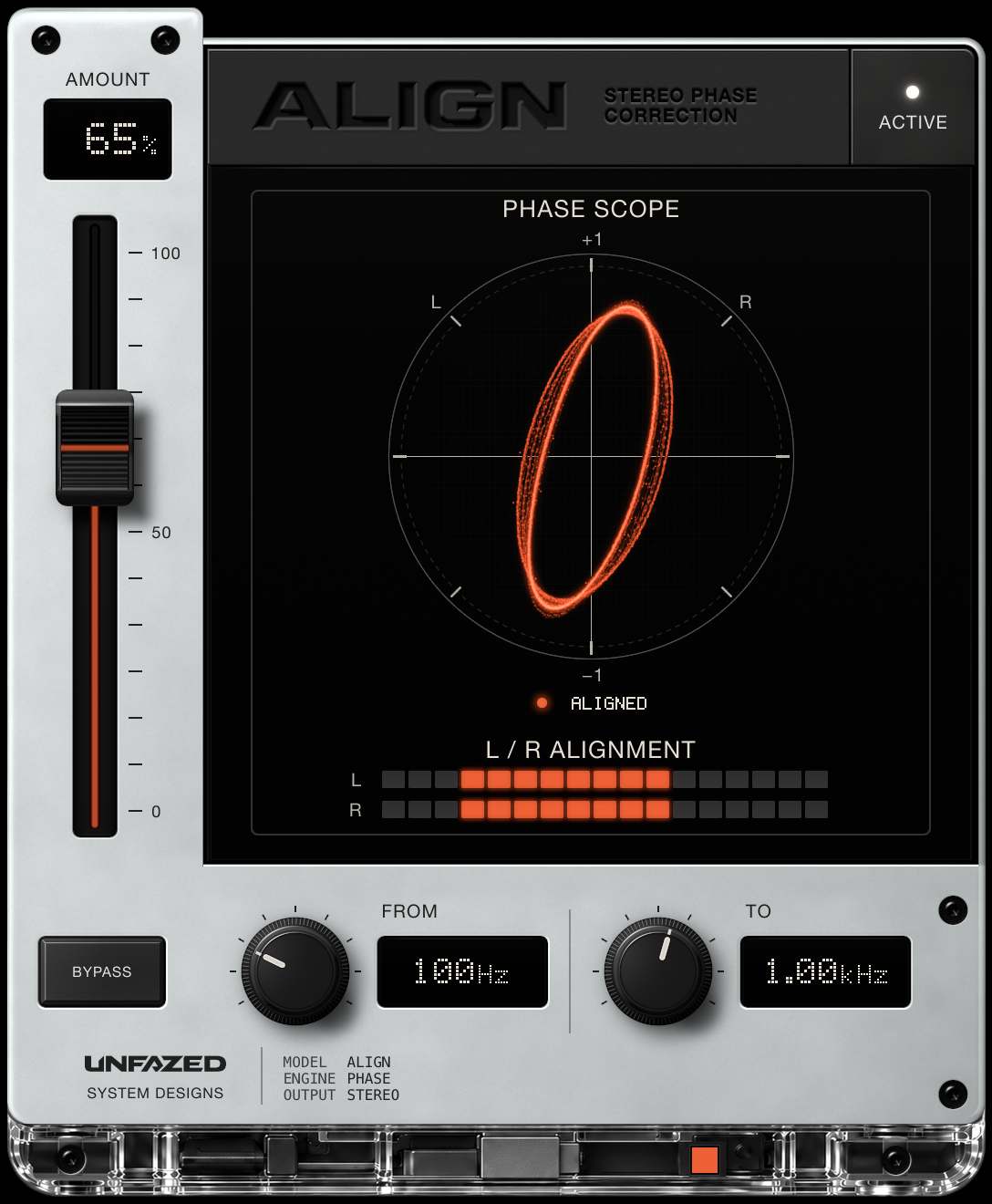
Apply 0–100% of the correction. The fader scales the timing and phase adjustment itself. Lower it to keep some of the original difference.

FREE STEREO PHASE CORRECTION / BY UNFAZED
LEFT AND RIGHT.
SAME PAGE.
Timing, polarity and phase correction for the two sides of one stereo track. Set the amount, choose the frequency range, and let both sides get along.
macOS [Apple Silicon] & Linux
01 / GET ON THE SAME PAGE
Two microphones, one source. A stereo channel arriving late. The same sound losing body when summed to mono. ALIGN measures the differences between left and right and brings them into line.
Apply 0–100% of the correction. The fader scales the timing and phase adjustment itself. Lower it to keep some of the original difference.
Choose the frequency range ALIGN measures and corrects. Work across the full range, or focus on the part that needs attention.
Compare with the original at the same latency. ALIGN keeps measuring while bypassed, ready for you to switch back.
02 / READ THE RELATIONSHIP
Synthesised examples, processed through ALIGN. Compare BYPASS with ALIGN on: the scope shows the stereo output, and the L / R rows show the remaining timing difference.
ALIGNING appears while ALIGN listens and settles. Then the status reads ALIGNED. The L / R rows show the correction moving into place.
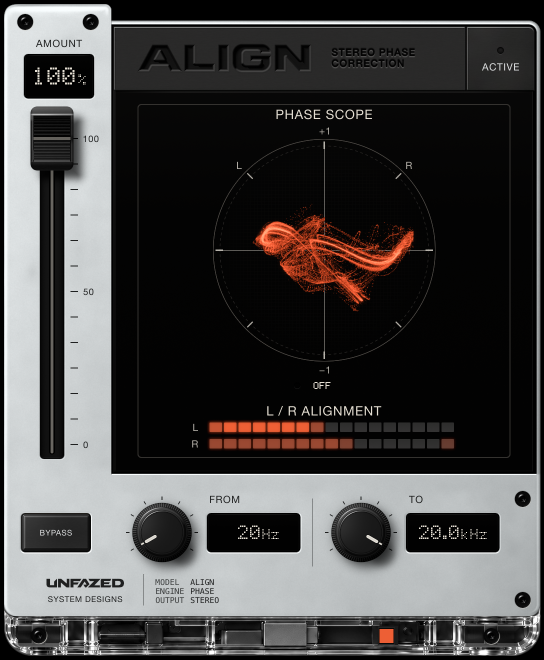
A synthesised bass with a simulated amp signal on the right, delayed and polarity-flipped. On BYPASS, the trace lies flat and the R bar shows the late, inverted side.
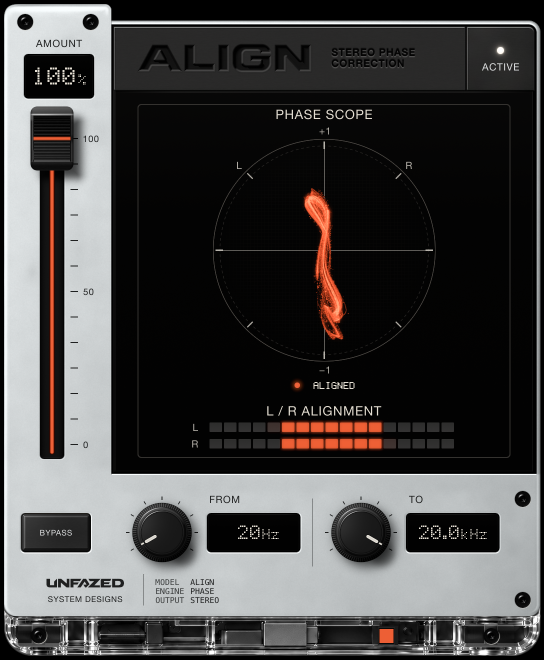
ALIGN brings the amp side into line with the direct signal. The trace stands upright and both timing bars meet, while the amp’s tone stays intact.
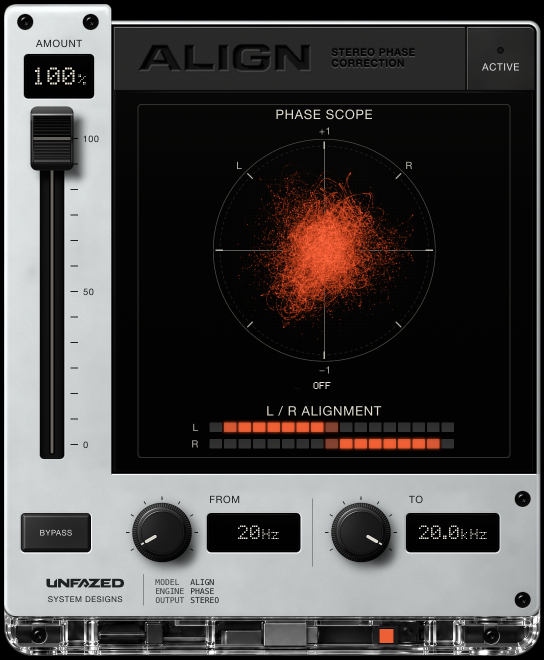
A synthesised stereo pad with its right side 0.80 ms late. On BYPASS, the scope fills with a round cloud and the R bar sits to the right of L.
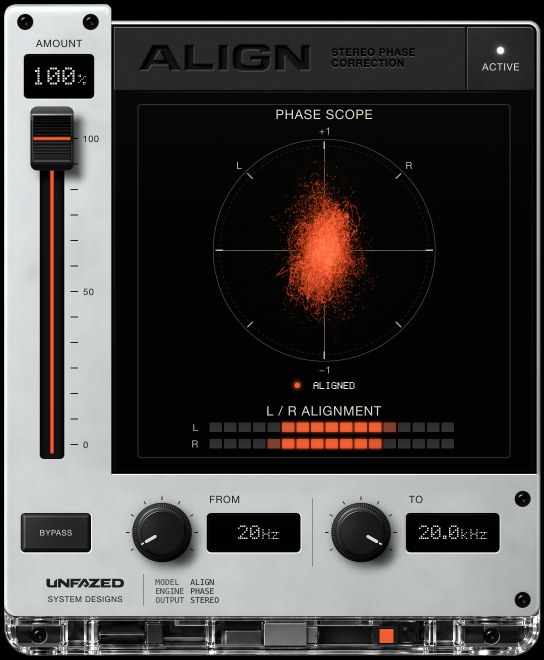
The shared material is back in line. Both bars meet and the cloud stands more upright, while the pad keeps its stereo width.
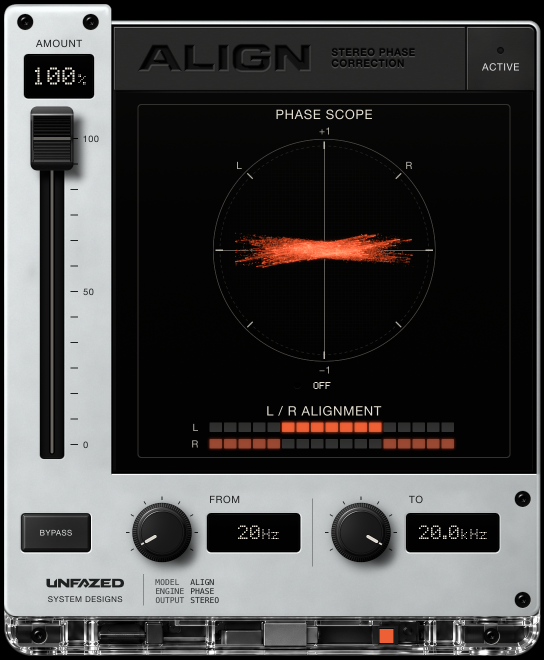
A synthesised electric piano with its right channel polarity-flipped. On BYPASS, the two sides nearly cancel and the trace lies flat.
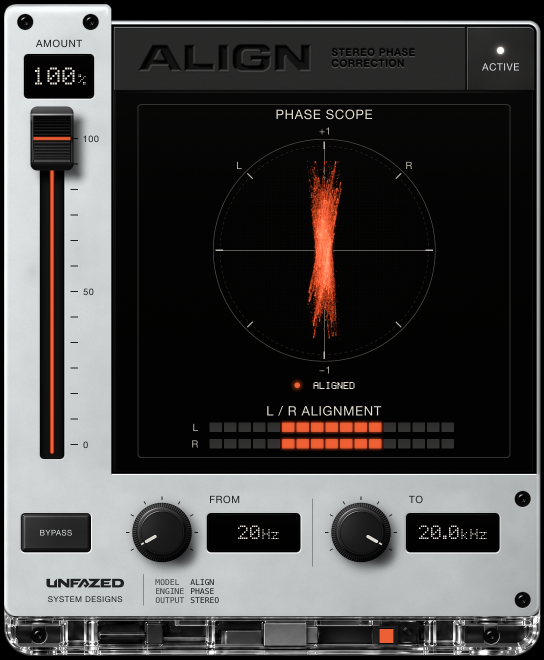
ALIGN turns the flipped right channel around. The trace stands upright and both timing bars sit centred.
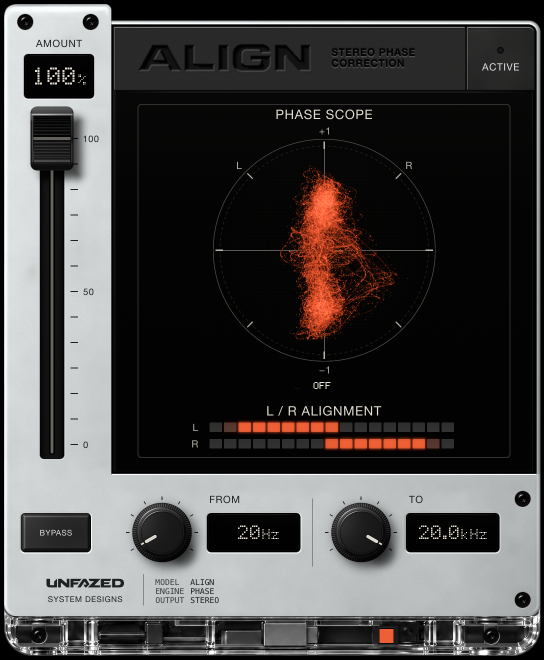
The synthesised bass and pad in a short mix, with the whole right channel 0.50 ms late. On BYPASS, the figure leans and the R bar sits to the right.
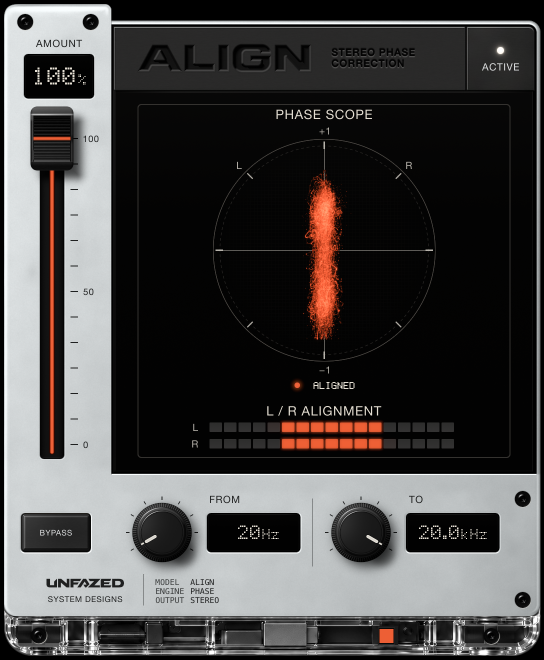
ALIGN brings the right channel back in time. The figure stands straight and both timing bars are centred.
03 / YOUR COMPUTER. YOUR CALL.
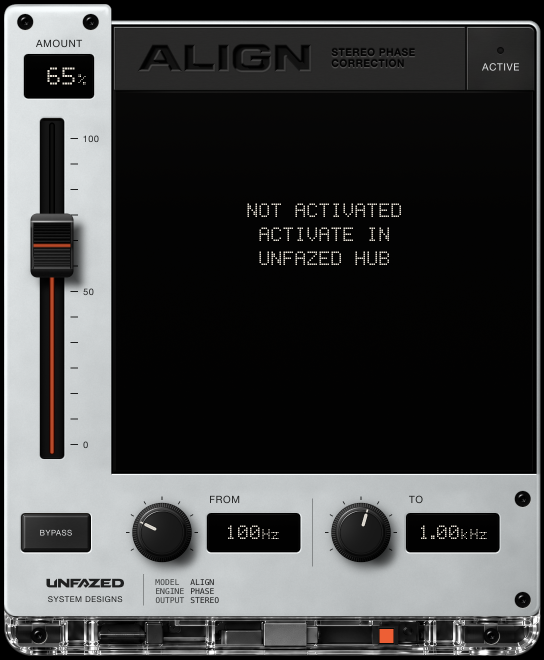
Get ALIGN free on this website, then sign in to UNFAZED HUB with the same email address. Choose Activate in HUB on the computer you want to use.
Until activated, ALIGN passes the audio through unchanged.
04 / SYSTEM REQUIREMENTS
macOS [Apple Silicon] & Linux
ALIGN works between the left and right channels of one stereo track. Route two recordings of the same source to that track’s two channels to work on them together.
No. It scales the correction itself. At 100% you get the full timing and phase correction; lower settings apply less.
No. It corrects timing, polarity and phase differences in shared material. A deliberate delay between the two sides can also be corrected, so use AMOUNT or BYPASS when that delay is part of the sound.
It listens first, then slides the correction into place. A single held note can be ambiguous: it may take longer, settle on the wrong delay or resist correction. Give it time, compare with BYPASS, and trust what you hear.
Use it when mixing, rather than while playing or singing through your monitoring path. Its latency is 53.75 ms at 48 kHz; host delay compensation keeps playback in time.
No. There is no Windows version, and we have no plans to make one.
No. ALIGN’s formats are AU, VST3 and CLAP on macOS, and VST3 and CLAP on Linux. There is no AAX version for Pro Tools.
ALIGN [UF]
Stereo is complicated enough.